
Download the Fb88 App for Android and iOS, Grant Installation Permissions, and Fix Common Errors in 2026
The <strong>Fb88</strong> mobile app supports both Android and iOS, with different installation procedures between the two operating systems — especially regarding permission grants and developer verification. Understanding each step helps avoid most common installation errors. This guide analyzes each error scenario, its cause, and solution, while comparing app experience versus mobile browser for informed decision-making.
Your Android phone shows "Installation from this source not allowed" even though you downloaded the correct APK file — or your iPhone opens the app only to display "Untrusted Developer" and gets blocked entirely. Both scenarios aren't file errors; they stem from a skipped permission step. This page goes straight to those points, broken down by operating system.
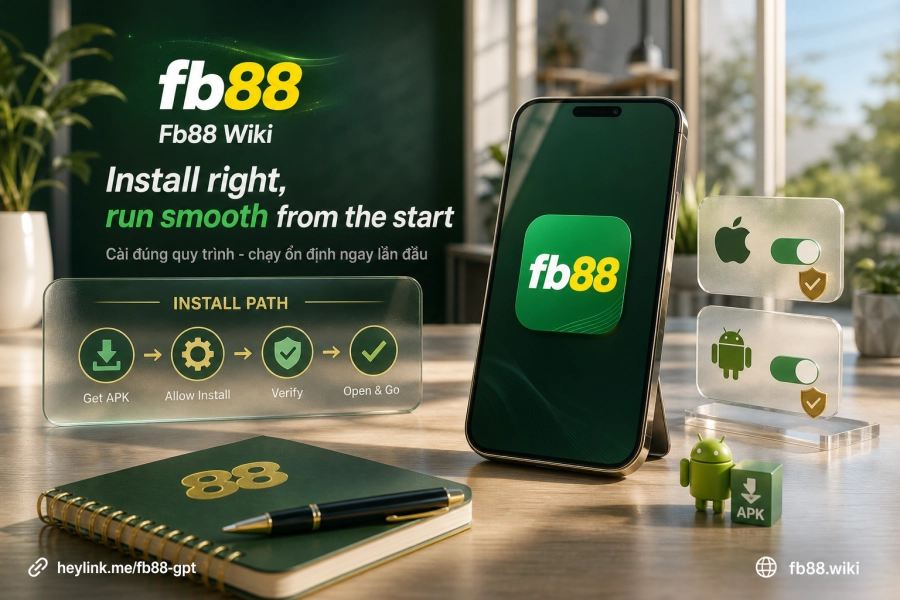
App vs. Mobile Browser — Where's the Real Difference?
Accessing via mobile browser is sufficient for most tasks, but there are a few areas where the app handles things differently. In direct comparison:
- Login session: browser easily loses session when switching tabs or clearing cache; app preserves login state between launches.
- Push notifications: app receives alerts for odds changes, rate fluctuations, and transaction updates in real-time — browser has no such feature.
- Interface: app is optimized for small screens with fewer steps than the responsive web version.
- Updates: app updates independently — users download new files from the official site when a new version releases, not dependent on third-party app stores.
The most practically meaningful differences are push notifications and session stability — page load speed shows no significant gap if network connection is the same.
Before Downloading — What to Check?
No high-end specs needed, but three things require confirmation beforehand to avoid later issues:
- Free storage: ensure your device has enough memory to save the APK file (Android) or receive the installation package (iOS).
- OS version: Fb88 supports current mainstream versions of Android and iOS — very old devices or unupdated OS may encounter compatibility errors.
- Download source: only get the link from the platform's official site, never download APK from third parties due to uncontrollable security risks.
Specifically for Android, you need to enable one additional permission in system settings before or during installation — this is the most commonly skipped step and causes most "installation not allowed" errors.
Installing on Android — Permission Grant is the Key
Android blocks app installation from outside Google Play by default (called "unknown sources"). This is an OS security mechanism, not an APK file error. To install successfully, grant permission following this exact flow:
- Download the APK file from Fb88's official link to your device.
- Open the APK file — the system will show a permission dialog.
- Select Settings → Allow from this source (exact wording may vary by Android version).
- Confirm installation and wait for completion.
On Android 8 and above, this permission is tied to each browser/file manager app — meaning if you downloaded via Chrome but open the file with File Manager, you need to grant permission to File Manager, not Chrome. Mixing up the app at this step is a common reason the "Installation not allowed" message reappears even after granting permission once before.
Installing on iOS — Developer Verification Step Cannot Be Skipped
Unlike Android, iOS doesn't use APK files. The installation process on iPhone/iPad follows a separate flow and requires Safari instead of other browsers — Chrome or Firefox on iOS don't support installing apps outside the App Store this way.
- Open Safari, visit the platform's official site, and select to download the iOS app.
- The system shows an installation confirmation dialog — tap Install.
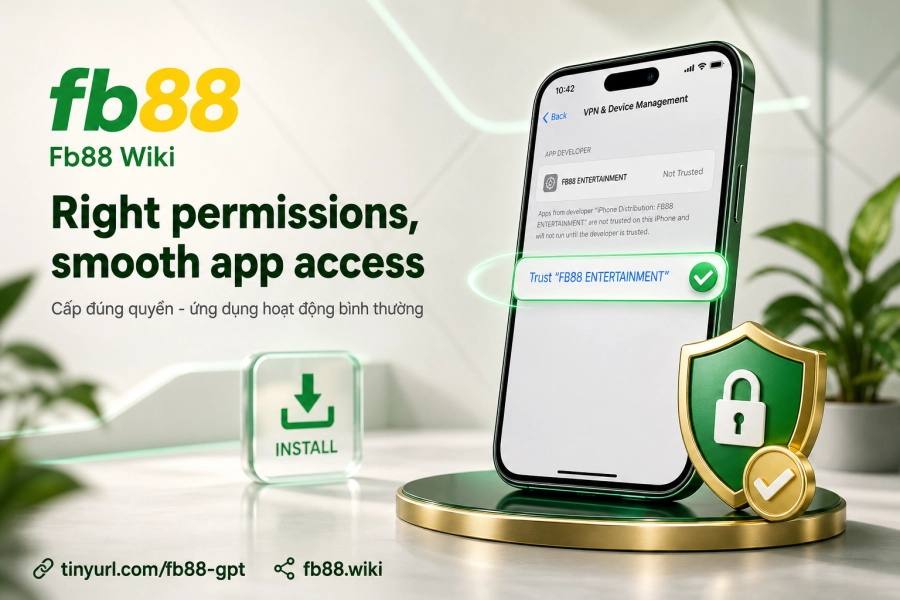
- After installation completes, open Settings → General → VPN & Device Management.
- Find Fb88's developer profile, select Trust, and confirm.
If you skip the developer verification step in system settings, the app will be blocked every time you open it — not an installation error but an authentication error. This step is the clearest distinction between installing apps on iOS versus Android.
Analyzing Common Installation Errors and Fixes
Most app installation errors on both operating systems have specific causes, not random system glitches. The table below cross-references error — cause — solution for easy lookup:
| Error Encountered | Operating System | Root Cause | Solution |
|---|---|---|---|
| Installation from this source not allowed | Android | Permission not granted to the correct file-opening app | Go to Settings → Apps → select the correct file manager → enable "Allow from this source" |
| Untrusted Developer / app won't open | iOS | Developer profile not verified in Settings | Go to Settings → General → VPN & Device Management → Trust Fb88 profile |
| Downloaded APK won't open / shows corrupted | Android | File downloaded incompletely or from wrong source | Delete old file, re-download from official link; check connection during download |
| App installed but can't log in | Both | Old app version incompatible, or needs update | Uninstall app, download latest version from official site |
| Can't download via Safari on iOS | iOS | Using Chrome/Firefox instead of Safari | Switch to Safari to download — this is mandatory for iOS with off-App Store profiles |
One notable exception: on some older Android devices running Android 6 or 7, the "Unknown Sources" option sits directly in Security under system Settings (not tied to individual apps like Android 8+). If your device doesn't show a permission dialog when opening the APK, check this section first.
Login Errors After Installation — Distinguish from Setup Errors
After the app installs successfully, some users still encounter login errors — these are two different error groups requiring different solutions.
- App says "Account or password incorrect": double-check your login details, don't confuse main account with agent account if applicable.
- App keeps logging you out: may be due to session expiration per the platform's security mechanism — simply log in again normally.
- App shows blank screen or endless loading: usually caused by corrupted app cache — try clearing app cache in device Settings (Android) or reinstalling (iOS).
- App can't connect: verify network connection; if network is fine but app still won't connect, you may need a VPN due to IP blocking in certain regions.
If the above steps don't resolve the issue, the platform's direct support can help via Telegram @CSKHFB88 or email [email protected].
After Installation — Recommended Next Steps
App running smoothly doesn't mean setup is complete. A few follow-up steps ensure more stable experience going forward:
- Log in and check your balance — confirm your account syncs correctly with the web version.
- Enable push notifications if you want real-time odds and transaction updates.
- Check Deposit methods right in the app — the in-app deposit interface often streamlines several steps compared to browser.
- If you haven't completed account verification, do it via the account menu in the app to ensure no withdrawal limits later when you Cash out.
Regarding app updates: Fb88 doesn't distribute via App Store or Google Play, so it won't auto-update. When a new version releases, the platform usually notifies within the app or on the official site — users download the new file and install over the old version (Android), or uninstall then reinstall (iOS).
Overall Comparison: Install App or Use Browser?
There's no absolute answer. Browser works best when you need quick access without installing another app — no permission steps, no manual updates. App is better if you use it regularly, need push notifications, or want an interface optimized for small screens.
Key point: both use the same TLS/SSL 128-bit security system of the platform — no data security difference between app and web. Your choice depends on usage habits, not safety factors.
For users who value control — knowing exactly what you're installing, from where, and what permissions you're granting — then an app installed correctly from Fb88's official site offers clearer traceability than browsing without knowing which web version you're using.
Ultimately, the question isn't just "app or browser?" — it's whether you've gathered enough information to actively control your device and account.